
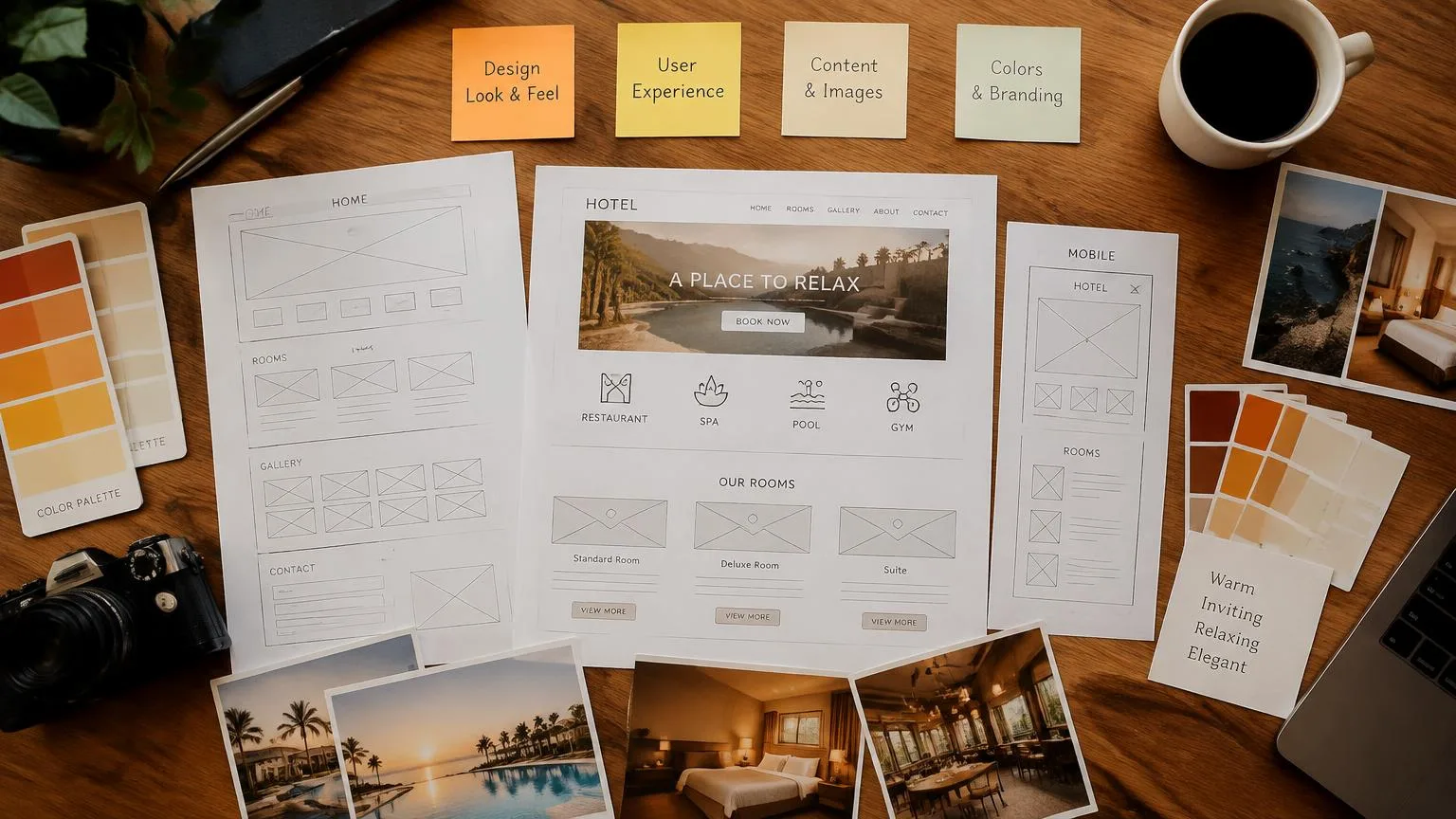
Your hotel website may look inviting, yet leave guests unsure whether a room sleeps two people or four, or what their rate includes. On-page SEO helps fix that. It's the process of improving the content and elements of each page so travelers and search engines can clearly understand what you offer.
For your hotel, this means matching pages to relevant searches, writing descriptive titles and headings, explaining rooms and amenities, optimizing images, and linking related pages.
This guide explains which pages to prioritize and how to make those improvements, so guests can find your property and compare their options with confidence.
Start With the Hotel Pages That Influence Booking Decisions
Your digital marketing may bring travelers straight to a room page or a special offer. Wherever they arrive, they need clear information to decide whether your hotel is right for their stay. Improving these pages helps guests compare their options and supports your online visibility.
Start by reviewing these pages:
Homepage
Your homepage should quickly explain what kind of hotel you run, where it is, and why it could suit a guest’s trip. Introduce your main strengths and give visitors a clear route to explore the rooms, facilities, and experiences that interest them.
Room and Suite Pages
Use room and suite pages to help travelers compare space, sleeping arrangements, occupancy, and included features. Explain the differences between options, such as an extra bed, balcony, or separate living area, so guests can identify the accommodation that suits their stay.
Amenity Pages
Your amenity pages should help guests understand whether your facilities and services meet their needs. Explain what is available, how they can use it, and whether additional charges or reservations apply. Details such as breakfast inclusions, pool opening hours, and parking arrangements help travelers assess what to expect.
Location Page
A clear location page supports local search engine optimization while helping travelers judge whether your hotel is convenient for their plans. Explain your neighborhood, nearby venues, transport connections, and arrival routes so guests can understand how they would reach your property and get around during their stay.
Offer Pages
Help guests understand what a package or promotion adds to their stay. Clearly explain its inclusions, booking and travel dates, eligible room types, and conditions such as minimum-night requirements. Show how the offer differs from your standard rate so travelers can assess its value.
Once each page has a clear purpose, the next step is deciding what it should communicate. Consider what brings a traveler to that page, which questions they need answered, and what information would help them continue planning their stay.

Match Each Page’s Content to What Guests Are Searching For
A guest’s search gives you clues about what they need from your website. They might be comparing accommodation, looking for a particular facility, or checking a practical detail. Use those clues to decide which page should answer their search and what information belongs there.
Here’s how to put that into practice:
Choose Keywords Based on Guest Intent
Keywords are the words and phrases people use when searching online. Choose them according to what guests want to find. For example, “family suites in Miami” should lead to a page where travelers can assess those suites for their group. Keep that page focused on the topic and use relevant wording naturally as you describe the accommodation and its features.
For guidance on targeting searches around cities, neighborhoods, and landmarks, read How Do Hotels Rank for “Near Me” and Destination Searches?
Answer Booking Questions With Original Content
Explain what makes each room different, how many guests it accommodates, and what the rate includes. Add relevant fees and policies, such as parking charges, extra-bed costs, cancellation conditions, or pet restrictions. Knowing whether a suite has a separate bedroom, for example, helps a family compare it with a larger room where everyone shares one space.
Give each room type a description that makes its differences clear. Repeating the same general paragraph across several pages leaves guests with little basis for comparison. Review your content whenever facilities, inclusions, fees, or policies change. Outdated information can lead travelers to expect something their reservation no longer includes.
Make Each Page Clear in Search Results and on Your Website
Travelers should be able to recognize what a page offers before clicking and find the details they need once they arrive. Clear labels help them move from exploring search results to understanding your accommodation.
Focus on these two areas:
Write Unique Title Tags and Meta Descriptions
Clear titles and descriptions introduce your web pages to travelers in organic search results. Highlighting relevant property details helps potential guests recognize which page suits their needs and gives them a reason to click.
- Write a descriptive title tag: This names the page and may appear as the clickable heading in search results. “Family Suites in Miami With Kitchenettes” identifies the destination, accommodation type, and a useful feature.
- Summarize the page in its meta description: This short summary may appear beneath the title. Mention useful details, such as maximum occupancy, and invite travelers to compare rooms or check dates.
- Make each title and description unique: Describe what guests will find on that particular page, using accurate, verified information.
- Keep your page content consistent with these details: Google may choose different search-result wording based on your content and the traveler’s query.
Use Clear Headings and Descriptive URLs
Clear headings help guests find answers and give search engines context about your content. Google may also use your main heading when creating titles on search engine results pages, so it should accurately identify the page’s subject.
- Give the page a clear H1: Unlike the title tag, the H1 is the main heading guests see on the page itself. “Family Suites in Miami” clearly introduces the accommodation.
- Organize main sections with H2s: Headings such as “Suite Features” and “Rates and Inclusions” help visitors scan for relevant information.
- Use H3s for details within a section: Under “Suite Features,” you could include “Sleeping Arrangements” and “Kitchenette Facilities.”
- Include target keywords naturally: Use them in headings where they accurately describe the content.
- Choose a descriptive URL for each new page: A path such as /rooms/family-suites makes the topic recognizable. Use readable words separated by hyphens.
Help Guests Explore the Hotel and Move Toward Booking
Your SEO efforts help travelers discover your website. Once they arrive, give them a clear way to explore the property, compare their options, and check availability. Making those steps easier can help turn interest into direct bookings.
Here’s how to help guests take the next step:
Connect Related Pages With Helpful Internal Links
Internal links connect pages within your website, helping guests explore and Google discover related content. Choose links that support the reader’s search intent and use descriptive link text that makes the destination clear.
- Connect travel guides with accommodation. A blog post about a family weekend in Miami could link to “family suites with kitchenettes,” helping readers explore rooms that suit their trip.
- Connect rooms with amenities. Link to relevant service pages using wording such as “breakfast options and prices” or “hotel parking and arrival instructions.”
- Connect amenities and rooms with offers. A spa page could link to “our two-night spa package.” The offer page should then link to the room types included in that package.
Use Useful Hotel Photos and Accurate Alt Text
In the hotel industry, photos help travelers assess accommodation before they arrive. Place images beside the relevant written information so guests can connect what they see with details about room layouts, sleeping arrangements, and facilities.
- Show meaningful differences between rooms. Include photos of bed configurations, separate living areas, bathrooms, and balconies so guests can compare their options.
- Resize and compress images. Reduce file sizes before uploading while keeping enough detail for guests to assess the accommodation.
- Choose descriptive filenames. For example, family-suite-bunk-beds.webp describes the subject more clearly than IMG_2841.webp.
- Write accurate alt text. This provides an image description for people using screen readers and helps search engines understand its content. For example, “Family suite with a double bed and bunk beds” works when those features are visible.
Make Mobile Pages Fast and Easy to Use
Look at user behavior, such as visitors leaving a room page without checking availability, to identify steps worth reviewing. Then test the journey your target audience takes on mobile devices, from exploring accommodation to starting a reservation.
- Improve loading and responsiveness. Guests should be able to view room information and use page controls without unnecessary delays.
- Check readability and navigation. Make text readable without zooming, keep menus straightforward, and give buttons enough space to tap comfortably.
- Make availability buttons easy to find. Use a clear label, such as “Check Availability,” near room details and offer information.
- Test the booking engine handoff. Check that guests reach the correct property in the reservation system. Confirm that selected dates, guest numbers, and offers carry through where supported, and that the forms work on a phone.
You can use Google's PageSpeed Insights to review page speed and identify performance improvements alongside your own mobile checks.
To help guests move more easily from exploring rooms to reserving their stay, read How Do Hotels Optimize Their Website for Booking Conversions?
Prioritize Improvements and Check the Results
You can make progress with hotel SEO by improving a few important pages at a time. Give each update a clear purpose and record what you change so you can review performance afterward.
Start with these two steps:
Fix the Problems That Matter Most First
Make accurate information and an easy path to booking priorities within your marketing strategy. Begin with issues that affect a guest’s ability to assess your property or reserve a room:
- Missing room information: Add occupancy, sleeping arrangements, inclusions, and relevant fees.
- Outdated offers: Remove expired promotions from active listings and correct inaccurate dates, prices, or conditions.
- Broken links: Repair links to rooms, amenities, offers, and reservation pages.
- Difficulty reaching booking: Check that availability buttons are easy to find and lead to the correct reservation page.
Next, use Google Search Console to identify important pages that appear for relevant searches but receive few clicks. Review their displayed titles and snippets, then check whether the wording and page content answer what travelers are looking for.
Review Search Performance and Booking Actions
Google Search Console helps you review where your pages rank and how travelers interact with your search results. Start with these three measures:
- Impressions: How often a link to your page appears in Google Search results.
- Clicks: How often someone clicks a search result leading to your website.
- Click-through rate (CTR): The percentage of impressions that lead to clicks. Review this alongside the relevant searches and positions to understand the context.
Where tracking is configured, review booking starts and completed reservations in your analytics or booking platform. For SEO reporting, filter these actions to organic search traffic where possible. Keep them separate from search visibility: impressions show opportunities to be discovered, while booking actions show whether visitors begin or complete a reservation.
Compare results over consistent periods and keep your update dates in view. This helps you spot patterns and choose which pages need further attention.
Improve Your Hotel Website With Nativo
Useful content and clear page organization help travelers discover your hotel, understand what you offer, and compare their options. When guests can find the details that matter to their stay, they can move toward booking with greater confidence.
If you’d like help choosing where to start, contact Nativo today. We’ll work with you to review your website, identify opportunities, and prioritize on-page SEO improvements that support your hotel’s goals and your guests’ needs.
FAQs
What are the best SEO strategies for hotels?
Effective hotel SEO combines useful room and destination content, relevant keywords, clear page organization, mobile usability, and an accurate Google Business Profile. Honest guest reviews and helpful local information also support visibility.
What are some best practices for on-page SEO?
Match each page to a clear guest need, write original content, and use unique titles, descriptions, and clear headings. Add helpful internal links, accurate image alt text, and pages that work well on phones.
How is on-page SEO different from local SEO for hotels?
On-page SEO improves the content and elements of individual website pages. Local SEO focuses on visibility for location-based searches, including Google Maps results. The two overlap through useful destination content and accurate hotel information.
How often should hotels update their website content?
Update your content whenever room features, amenities, fees, policies, or offers change. Review important pages regularly to catch outdated details, expired promotions, and missing information that could affect a guest’s booking decision.
Can hotels improve on-page SEO without redesigning their website?
Yes. Hotels can often improve room descriptions, title tags, headings, internal links, and image alt text within their existing website. Many content updates can be made through the website’s editing tools.
How long does on-page SEO take to show results for hotels?
On-page SEO improvements can take a few weeks to several months to affect search performance. Google needs time to process changes, and some updates may produce no noticeable gains. Review trends in Search Console over time.